What is the Halloween frame GIF maker?
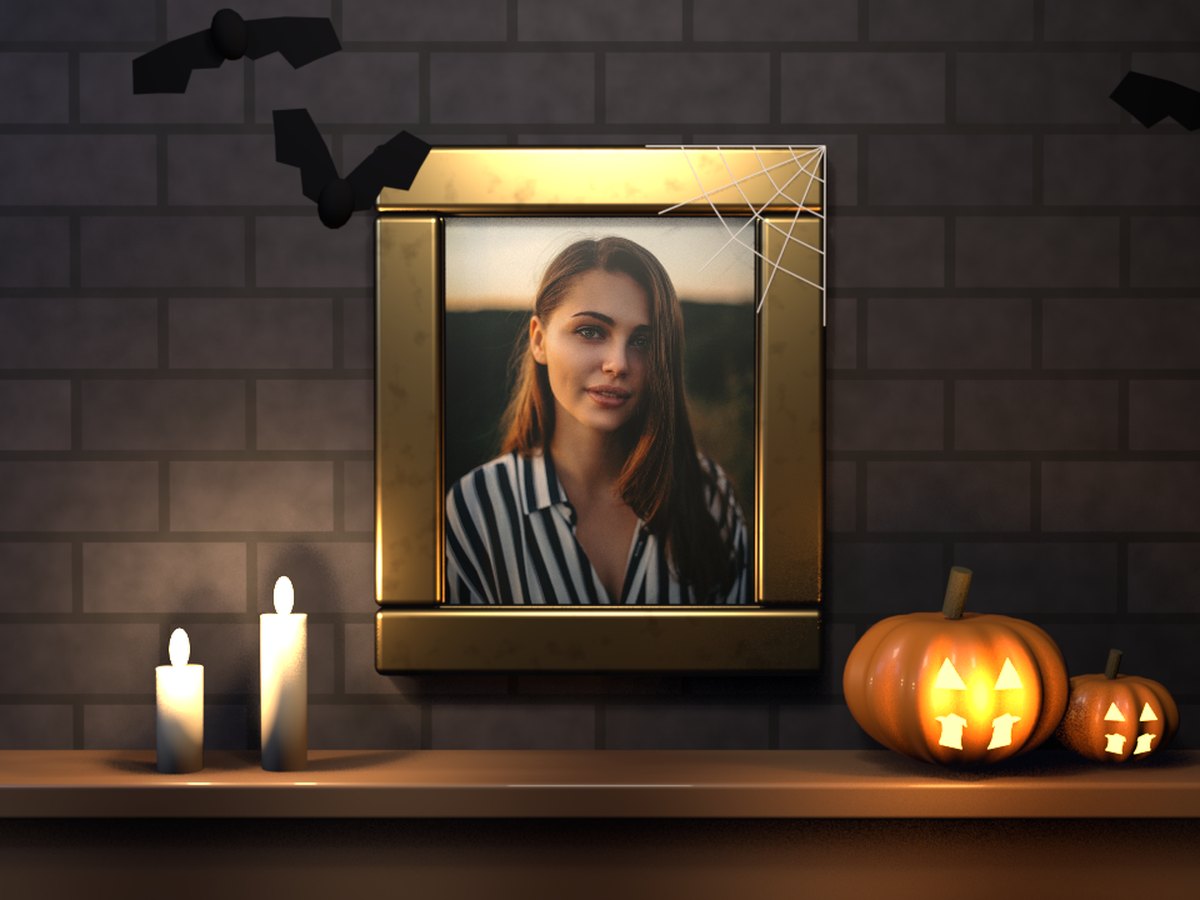
It hangs your photo in an old gilded frame on a dark stone wall, like a portrait in a haunted house. Below it, two candles and a pair of carved jack-o’-lanterns flicker on a wooden mantel. Bats flap past above the frame, and a cobweb hangs in its corner. Cold moonlight comes from one side and warm candlelight from below, so your photo glows in the middle of the gloom.
Everything in the scene is a real 3D model, and the light on your photo moves with the candle flames. The GIF loops for as long as someone looks at it, which makes it good for a chat, a story or a profile picture.
How to make a Halloween frame GIF
- Add your photo. A portrait, a costume photo, or your pet.
- Make the GIF. It is ready in a few seconds.
- Send it. Download it, or share it straight to a chat from your phone.
Tips for a spooky portrait
- Use a portrait photo. The frame is taller than it is wide. Photos from a phone’s camera fit well.
- Costumes look great. A witch, a vampire or a skeleton face paint fits the scene perfectly.
- Old-style photos fit too. A black and white or sepia photo looks like an ancestor’s portrait.
- Keep the face near the middle. The photo is cropped from the centre to fill the frame.
- Try your pet. A cat in a haunted frame is hard to beat.
- Want to cut yourself out first? The background remover gives you a clean cut-out you can put on a dark colour.
When to send one
Halloween greetings. A spooky portrait of yourself says happy Halloween better than a sticker.
Party invites. Put the host in the frame and add the date to your message.
Profile pictures. Change your picture for October, then change it back in November.
Costume reveals. Post this year’s costume in a frame that matches it.