


What is happening to remove.bg
remove.bg has announced that its website will close on 1 December 2026 at 9:00 CET. The company has belonged to Canva since 2021, and its background removal is moving into Canva’s editor. The remove.bg API is not moving to Canva: API users are being pointed to Leonardo.Ai, while existing enterprise contracts carry on under their own terms.
Two things matter if you use it today. Unused pay-as-you-go credits expire when the site closes, so spend them first. And any bookmark, browser shortcut or team habit that goes to remove.bg will stop working that morning. The details for your own account are in remove.bg’s FAQ, so read it before you cancel anything.
Why Erase BG is a good place to move
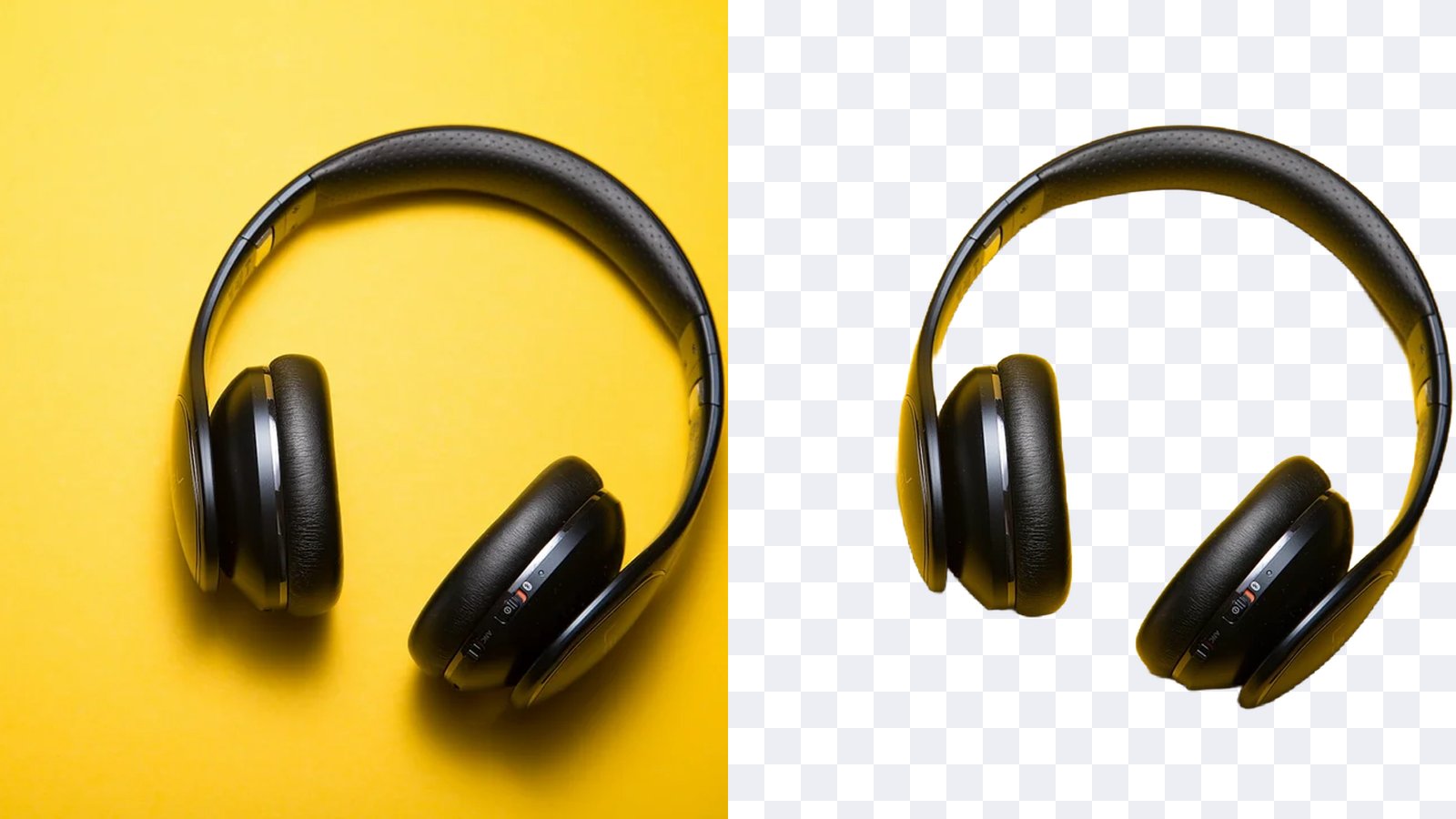
Erase BG does the one thing most people used remove.bg for: you add a photo, the background goes, and you download a clean PNG. It runs in any browser, on a phone or a laptop, with nothing to install and no account needed.
- Free with no sign-up. Free cut-outs download at up to 800 px, with no watermark on them.
- One flat price instead of credits. Pro is $7.99 a month, or less on the yearly plan. You never count credits or run out halfway through a product shoot.
- Full resolution with Pro. Pro saves the whole cut-out, up to 4000 px on its longest side, which is enough for print and large product images.
- More than cut-outs. Put the cut-out on a new background colour, crop it, or turn a photo into a 3D GIF.
Free and Pro at a glance
| Free | Pro | |
|---|---|---|
| Price | Free, no sign-up | $7.99 a month or $59 a year |
| Cut-out size | Up to 800 px | Up to 4000 px |
| Watermark on cut-outs | None | None |
| Photo GIFs | 480 × 360 px with a small mark | 960 × 720 px, no mark, or as a video |
| Background removal API | Not included | 1,000 images a month, remove.bg compatible |
| Credits to track | None, a small daily limit | None |
See pricing for everything in Pro. You can cancel anytime, and your first payment is refunded in full if you cancel within 7 days.
How to move over in three steps
- Use up your remove.bg credits. They expire when the site closes, so finish any batch you already paid for.
- Try your own photos here. Upload two or three typical images above: a product, a person, something with hair or fur. Free cut-outs are enough to judge the edges.
- Update the bookmark. Replace your remove.bg bookmark with erasebg.org/background-remover, and tell whoever else on your team uses it.
If you used the remove.bg API
Erase BG Pro includes a background removal API that takes the same requests as remove.bg’s: the same path, the same X-Api-Key header and the same main parameters. Change the address from api.remove.bg to erasebg.org, swap in your Erase BG key, and most code keeps working. Pro includes 1,000 API images a month at full resolution.
The other options after 1 December:
- Leonardo.Ai is where remove.bg is sending its API customers.
- An enterprise contract with remove.bg keeps running under its own terms. Ask your account contact.
- Self-hosting an open-source background removal model is free per image but needs a server and someone to maintain it.
Photos that cut out best
Most people who used remove.bg had one of three jobs: product photos for a shop, portraits for a profile or a document, or pictures for a design. All three work well here, and each has a small habit that gives a better edge.
Product photos. Shoot the product whole, on any plain or busy surface, with even light. Shiny items such as bottles and watches keep their reflections, which is what you want on a white listing background. Put the cut-out on white with the background colour changer for marketplaces that ask for it.
Portraits. Hair is the hard part of any cut-out. A sharp photo where the hair stands out from the wall behind it keeps fine strands. Loose hair against a busy, similar-coloured background can look soft, so step away from the wall if you can retake it.
Pets. Fur works the same way as hair. A dog on grass or a cat on a sofa is fine, as long as the animal is in focus and not half hidden behind something.
Design work. Logos and graphics with a flat background come out clean. For a logo, start from the largest version you have, then save the PNG and place it on your design.
Tips for clean cut-outs
- Start sharp. A photo in focus gives crisp hair and product edges. Blur in the photo becomes blur in the cut-out.
- Contrast helps. A subject that stands out from what is behind it separates more cleanly than grey on grey.
- Keep the subject whole. Anything cut off by the edge of the photo stays cut off.
- Save as PNG. JPG cannot store see-through pixels, so keep the PNG for anything you will place on a new background.
For the longer version, read what to do before remove.bg closes and how to remove a background for free.
Your photo is used only to make your cut-out. It is never shared. Erase BG is not affiliated with remove.bg or Canva.