Why profile pictures are round
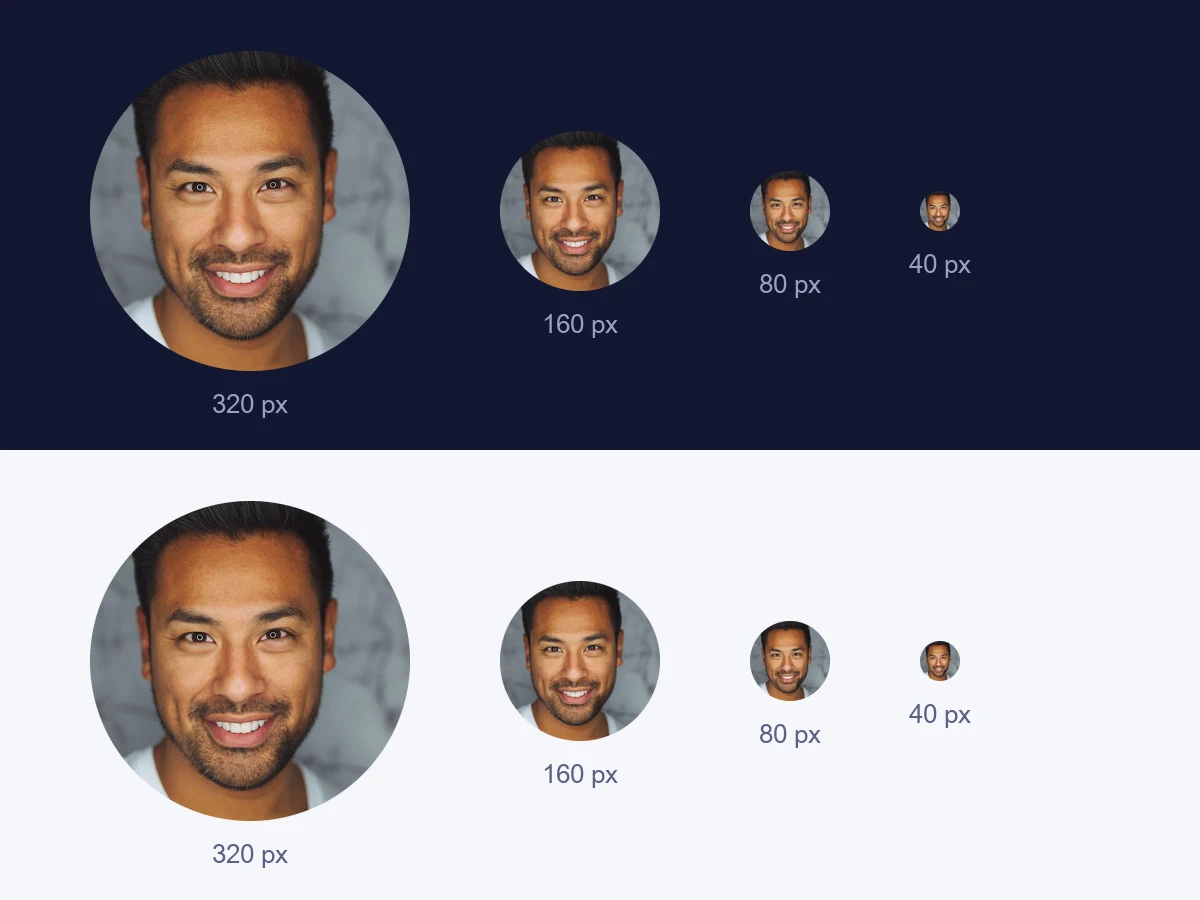
WhatsApp, Instagram, LinkedIn, X, TikTok and most other apps show your photo inside a circle. You upload a square, and the app cuts the corners off. Whatever sits near the edges is gone.
The circle is also small. Next to a message or a comment it is often no bigger than a fingertip. A photo that looks great full size can turn into a blur at that size.
How to make a round profile picture
- Open the circle cropper. The circle cropper works in your browser. The photo never leaves your device.
- Add your photo. Choose it, drag it in, or paste it.
- Place the circle. Drag it onto your face and resize it with the handle or the slider. The previews show it at profile sizes as you go.
- Download the round PNG. The corners are see-through, so it sits cleanly on any background.
Tips for a picture that stands out
- Fill most of the circle with your face. Head and shoulders, not full body. Small faces disappear.
- Leave a little headroom. Too tight and the circle slices your forehead.
- Keep the background plain. A busy room fights with your face at small sizes. The background colour changer can put you on a clean colour first.
- Pick a colour that is yours. The same colour on every account makes you easy to spot in a list.
- Use good light. Face a window. Light from the front is kinder than a lamp overhead.
- Start big. At least 400 × 400 px, so it stays sharp on high-resolution screens.
Where round pictures are used
Social and chat apps. Almost every account picture is shown in a circle now.
Work profiles. LinkedIn, Slack, Teams and email signatures all use round avatars.
Team pages. Round headshots on an about page look tidy when they all share the same size and background.
Why crop it yourself
If you upload a square, the app centres the circle for you, and your face is not always in the centre. Cropping it yourself means the circle lands exactly where you want it, and you can see how it looks before anyone else does.